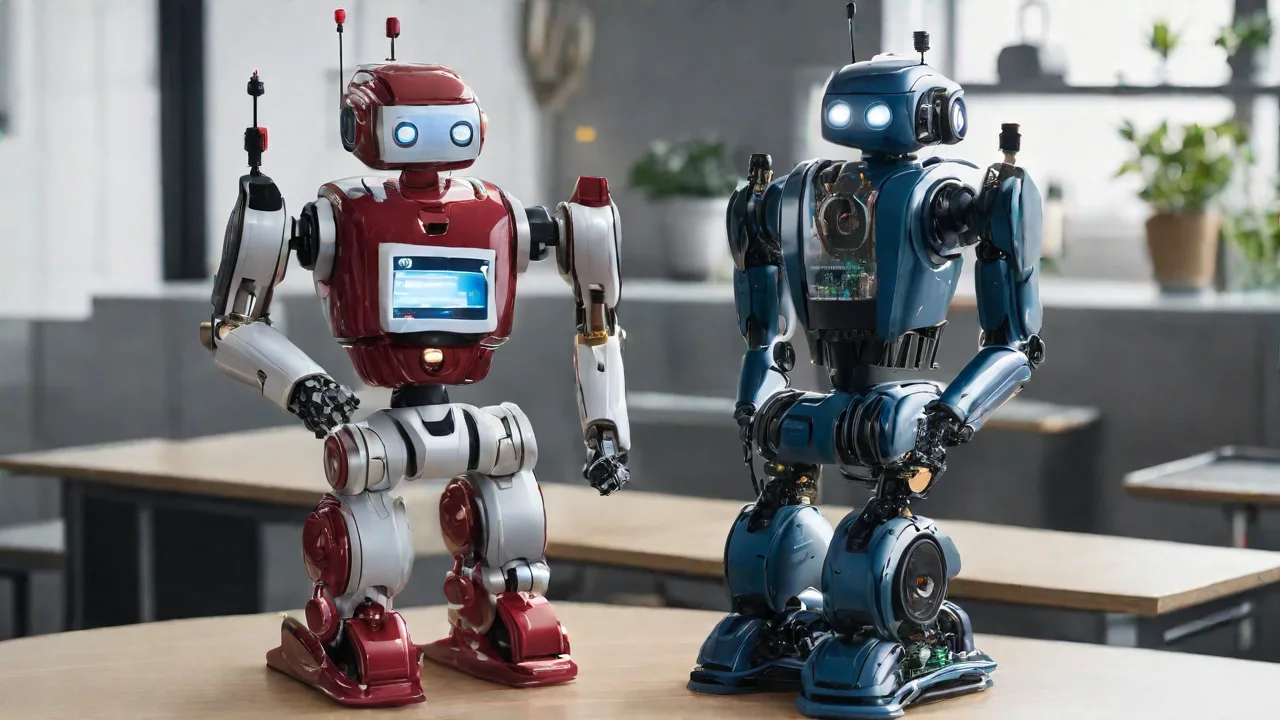
How to Incorporate Voice Recognition Into Robotics Projects
Voice recognition technology is transforming human-machine interaction, and integrating it into robotics projects unlocks new levels of intuitiveness and accessibility. By enabling robots to understand and execute spoken commands, developers can create systems that are easier to control, more engaging, and capable of serving in diverse environments—from classrooms and homes to industrial workspaces. This expanded guide walks through the fundamentals of voice recognition for robotics, the essential hardware and software, step-by-step integration methods, real-world applications, and optimization strategies. Whether you are a hobbyist, educator, or professional engineer, these insights will help you build robots that truly listen and respond.
Understanding Voice Recognition Technology
Voice recognition, also known as automatic speech recognition (ASR), allows a machine to identify and process human speech into text or commands. In robotics, this means converting acoustic signals captured by a microphone into actionable instructions that the robot’s control system can execute. The process involves several stages: audio capture, feature extraction, acoustic modeling, language modeling, and final decoding. Modern ASR systems leverage deep learning—particularly recurrent neural networks (RNNs) and transformers—to achieve high accuracy even in noisy environments.
There are two primary deployment modes for voice recognition in robotics:
- Cloud-based ASR – Audio is sent to remote servers (e.g., Google Cloud Speech-to-Text, Amazon Transcribe, Azure Speech) for processing. This offers high accuracy and large vocabulary support but requires a stable internet connection and introduces latency.
- On-device ASR – Recognition happens locally using libraries like PocketSphinx, Vosk, or deep learning models optimized for edge devices. This provides low latency, offline operation, and better privacy, though accuracy may be reduced compared to cloud solutions.
Understanding these trade-offs is critical when designing a robotics project. For mission‐critical or real‐time applications—such as safety commands or collision avoidance—on‐device processing is often preferred. For complex natural language interactions, cloud APIs may be a better fit.
Core Hardware Components
A voice-controlled robot needs more than just a microphone. Here’s a breakdown of the essential hardware and selection criteria:
Microphones
The quality and placement of the microphone directly affect recognition accuracy. Electret condenser microphones are common for hobbyist projects due to low cost and decent sensitivity. For better noise cancellation, consider MEMS microphones or multi-microphone arrays with beamforming (e.g., the ReSpeaker 4-Mic Array). Key specifications include signal-to-noise ratio (SNR > 60 dB recommended), frequency response (20 Hz – 20 kHz for speech), and output type (analog or digital I²S).
Processing Unit
The brain of the robot must handle audio capture, ASR processing, and motor control concurrently. Popular choices include:
- Raspberry Pi (3B+ or newer) – Runs full Linux, supports Python libraries, and can handle both cloud API calls and lightweight on-device models. Ideal for prototyping.
- NVIDIA Jetson Nano – Offers GPU acceleration for running larger neural networks locally, suitable for advanced ASR and natural language understanding.
- Arduino (with external module) – Limited memory and processing power; best paired with a separate ASR module (e.g., Elechouse Voice Recognition Module V3) or connected to a more capable board via serial.
- ESP32 – Built-in Wi-Fi and Bluetooth, dual cores, and I²S support make it viable for simple cloud-based commands or with optimized libraries like ESP‑ASR.
Audio Interface
Most microphones connect via analog pins, USB audio interfaces, or I²S digital buses. For the Raspberry Pi, USB sound cards (e.g., the Adafruit USB Audio Card) simplify setup. I²S MEMS microphones like the SPH0645LM4H deliver cleaner audio and are increasingly popular.
Communication Modules
If using cloud ASR, a Wi-Fi (ESP8266/ESP32) or Ethernet module is required. For local processing, Bluetooth can stream audio from a smartphone with a speech app, though this adds another point of failure.
Software and API Selection
Choosing the right voice recognition software defines the capabilities and constraints of your project. Below are the most widely used options, along with their strengths and weaknesses.
Cloud Speech APIs
- Google Cloud Speech-to-Text – Supports 125+ languages, real‑time streaming, domain‑specific models (e.g., medical, phone calls). Pay‑as‑you‑go pricing with a free tier (60 minutes per month). Ideal for complex commands and high accuracy.
- Amazon Transcribe – Integrates with AWS IoT and Lambda, good for building end‑to‑end cloud‑connected robots. Offers custom vocabulary and language models.
- Azure Speech Services – Provides real‑time transcription, custom speech models, and keyword spotting (wake words like “Hey Robot”). Useful for enterprise applications.
On-Device / Offline ASR
- PocketSphinx – An open‑source, lightweight library from CMU that works on Raspberry Pi. Accuracy is limited, and it requires a predefined grammar (JSGF). Good for simple, fixed‑vocabulary commands (e.g., “forward”, “stop”).
- Vosk – Supports 20+ languages, runs on low‑power devices, and offers continuous speech recognition without an internet connection. It provides a pre‑trained model that can be fine‑tuned. Excellent balance of performance and resource usage.
- Coqui STT – Open‑source, formerly Mozilla’s DeepSpeech. Trained with TensorFlow, offers good accuracy after transfer learning. Requires decent processing power but runs on a Raspberry Pi 4 with GPU acceleration.
Google Cloud Speech-to-Text is a popular starting point for cloud projects, while Vosk on GitHub provides a robust offline alternative.
Step-by-Step Integration Guide
Let’s walk through a concrete implementation using a Raspberry Pi 4 with a USB microphone and the Google Cloud Speech API. Adapt these steps for other hardware/API combinations.
Step 1: Hardware Setup and Audio Testing
Connect the USB microphone to the Raspberry Pi. Use arecord -l to list capture devices. Set the microphone as the default recording device by editing /etc/asound.conf or using pulseaudio. Record a test sample:
arecord -D plughw:1,0 -d 5 -f cd test.wavPlay back with aplay test.wav to verify clarity. Adjust microphone gain via alsamixer to avoid clipping (target volume around 70–80%).
Step 2: Set Up the Speech API
Install the Google Cloud SDK on the Pi, enable the Speech-to-Text API in the Google Cloud Console, and download the service account JSON key. Install the Python client library:
pip install google-cloud-speechWrite a script that captures audio from the microphone and sends it to the API. A streaming version reduces latency for real‑time commands.
Step 3: Implement Audio Capture and Streaming
Use pyaudio to capture audio in chunks (e.g., 4096 samples at 16 kHz). Send each chunk to a streaming recognition request. Process the final transcription once the user finishes speaking (detected by a pause or push‑to‑talk button). Code example (simplified):
import pyaudio
from google.cloud import speech

client = speech.SpeechClient()
config = speech.RecognitionConfig(
    encoding=speech.RecognitionConfig.AudioEncoding.LINEAR16,
    sample_rate_hertz=16000,
    language_code="en-US",
)
streaming_config = speech.StreamingRecognitionConfig(config=config)

audio_generator = # ... generator from microphone
requests = (speech.StreamingRecognizeRequest(audio_content=chunk) for chunk in audio_generator)
responses = client.streaming_recognize(streaming_config, requests)

for response in responses:
    if response.results[0].is_final:
        command = response.results[0].alternatives[0].transcript
        process_command(command)
Step 4: Define and Map Commands to Robot Actions
Create a dictionary or control structure that associates recognized phrases with specific actions. For example:
- “move forward” → set motor speed to 50% forward
- “turn left 90” → rotate left for 1.5 seconds
- “stop” → halt all motors
- “grab object” → activate gripper servo
Use fuzzy matching (e.g., difflib or fuzzywuzzy) to handle slight variations in pronunciation. For safety, always include a hard‑wired physical stop button as a fallback.
Step 5: Integration with Robot Control
If you’re using a motor driver (e.g., L298N, PCA9685), connect it to GPIO pins and install the corresponding library (RPi.GPIO for DC motors, Adafruit_Blinka for I²C servos). The command‑processing function should send PWM signals or switch relays accordingly. For ROS‑based robots, publish recognized commands to a topic like /voice_command and let the navigation stack handle execution.
Advanced Features and Considerations
Once basic voice control is working, several enhancements can improve reliability and user experience.
Wake Word Detection
Using a wake word (e.g., “Hey Robot”, “Computer”) allows the robot to ignore ambient conversation until addressed. Implement wake‑word spotting with Porcupine (hotspotting library) or train a custom model using TensorFlow Lite Micro. Porcupine runs efficiently on Raspberry Pi and even on ESP32, with low false‑positive rates.
Noise Suppression
Background noise degrades ASR accuracy. Use a front‑end noise gate (librosa pydub) or a dedicated hardware solution like a beamforming microphone array. Libraries like RNNoise provide real‑time noise reduction with minimal CPU overhead.
Multi‑Language Support
If your users speak different languages, choose an ASR system that supports language identification. Google, Azure, and Vosk all allow switching languages dynamically. Store a user profile (e.g., via an RFID tag) to automatically select the correct language.
Voice Feedback and Dialog
Make the robot respond audibly using a text‑to‑speech (TTS) engine like pyttsx3 (offline) or Google Cloud Text-to-Speech. Acknowledge commands (“Moving forward”), ask for clarification (“Did you say ‘turn left’?”), or report errors (“No microphone detected”). This closes the interaction loop and builds user trust.
Testing and Optimization
Robust testing conditions are essential to ensure the system works reliably in real‑world scenarios.
Environmental Testing
- Test in a quiet room, then with typical ambient noise (fans, traffic, multiple speakers). Measure word error rate (WER) under each condition.
- Evaluate different distances: 0.5m, 2m, 5m. For longer ranges, use a directional microphone or voice amplification.
- Test various accents and speech speeds. Collect voice samples from at least three different users to validate model robustness.
Latency Tuning
For cloud APIs, network latency is the biggest factor. Use a wired Ethernet connection or a low‑latency Wi‑Fi router. On‑device ASR should be optimized by lowering audio sample rates (8 kHz instead of 16 kHz) or using smaller acoustic models. Profile your code with time module to identify bottlenecks.
Command Vocabulary Refinement
Start with a limited set of distinct words (e.g., “forward”, “back”, “stop”, “yes”, “no”). Avoid homophones or words that sound alike. Use phonetic analysis to reduce confusion. A grammar‑based system (like PocketSphinx’s JSGF) can be hard‑coded to only recognize allowed phrases, reducing false positives.
Power Management
Running ASR continuously drains the robot’s battery. Implement a power‑save mode where the microphone is turned off until a physical button is pressed, or use a low‑power wake‑word detector that triggers the main ASR. On battery‑powered mobile robots, consider a separate low‑power microcontroller (e.g., ESP32) just for wake‑word detection, waking the main processor only when needed.
Practical Use Cases
Voice‑controlled robots are already deployed in many domains, and the technology is rapidly maturing.
Educational STEM Kits
Classroom robots like the Mabot or custom Raspberry Pi builds teach students programming and electronics through natural language commands. Voice control reduces the barrier to entry for younger learners who may not be comfortable with code.
Assistive Robotics
Voice control is vital for people with physical disabilities. A robotic arm that responds to “pick up the cup” or a wheelchair that follows “go to the kitchen” can dramatically increase independence. Offline ASR is often preferred here for privacy and safety.
Industrial Collaboration
In factories, collaborative robots (cobots) can be instruction via voice while workers’ hands are busy. “Stop the conveyor belt” or “increase speed by 10%” are real‑world commands being integrated into systems like Universal Robots’ UR+ platform.
Home Automations
DIY voice‑controlled robots can manage smart home tasks: “Bring me the TV remote” (pick‑and‑place) or “Water the plants” (navigate to a sensor). Integration with platforms like Home Assistant extends the robot’s capabilities beyond its own hardware.
Common Pitfalls and How to Avoid Them
- Over‑reliance on cloud connectivity – A network drop can render the robot unresponsive. Always implement a graceful fallback (e.g., last valid command repeated, or a local backup ASR).
- Insufficient audio quality – Cheap microphones with high noise floors and automatic gain control (AGC) can distort speech. Use a fixed gain or an external sound card with preamp controls.
- Ignoring command ambiguity – “Turn left” might mean rotate 90 degrees or move leftwards. Define the robot’s coordinate frame clearly and document commands.
- Neglecting user feedback – Without audible or visual confirmation, users may repeat commands unnecessarily. Add an LED ring, a display, or a beep to acknowledge reception.
- Security risks – If the robot is connected to the internet, malicious voice commands could be injected. Use wake‑words, authenticate known voices via speaker verification (voice ID), and never allow voice control of critical safety functions.
Future Trends in Voice‑Controlled Robotics
Voice recognition is evolving alongside advances in natural language understanding (NLU) and edge AI. Key developments to watch include:
- End‑to‑end deep learning models – New architectures like Branchformer and CTC‑based models reduce the need for separate acoustic, language, and decoding components, improving both accuracy and speed on the edge.
- Multimodal interaction – Combining voice with gesture recognition, gaze tracking, or touch allows robots to disambiguate commands naturally (e.g., pointing + “move that”).
- Privacy‑preserving local processing – As hardware improves (e.g., Raspberry Pi 5, Jetson Orin), more robots will run large models locally, reducing reliance on cloud APIs. Google’s TensorFlow Lite Micro and Edge Impulse are making this easier.
- Continuous learning – Robots will adapt to a user’s voice over time via on‑device transfer learning, personalizing vocabulary and pronunciation patterns without sending data to the cloud.
These innovations will make voice‑enabled robotics more capable and trustworthy, opening up applications in public spaces, elder care, and disaster response where reliable, hands‑free control is critical.
Conclusion
Incorporating voice recognition into robotics projects is no longer a futuristic luxury—it is a practical, achievable upgrade that enhances interactivity, safety, and user satisfaction. By selecting the right combination of microphone, processing board, and ASR software, and by following a systematic integration, testing, and optimization process, you can give your robot the power to listen. The field is moving quickly, so start with a simple proof‑of‑concept using tools like Vosk or the Google Cloud API, then iterate based on real‑world usage. As you refine your system, remember that a well‑designed voice interface should feel natural, responsive, and resilient. Build it once, and your robots will truly hear you.